Mouse
Mouse Double-Clicking and Scroll Wheel Jumping: Real Causes and Fixes to Save Your Mouse
Mouse double clicking on its own or scroll wheel jumping? Test the switch, raise the debounce time and clean the encoder: 5 fixes before you replace it.
6 min read
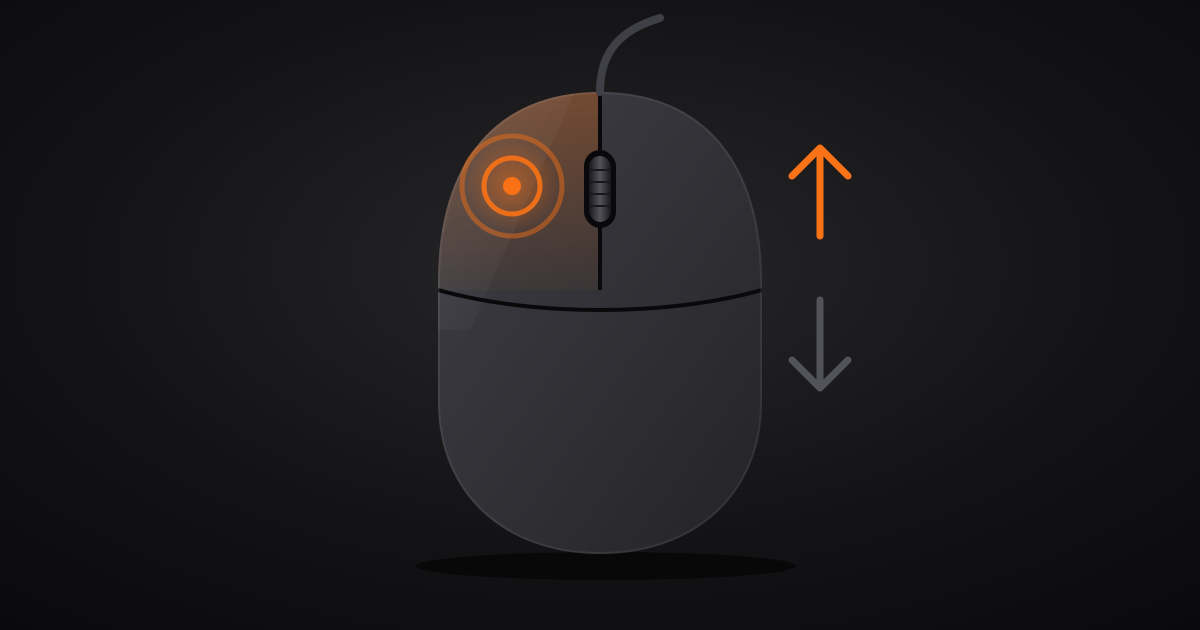
If your mouse opens a folder instead of selecting it, or your weapon fires twice in-game, either the mechanical micro-switch is wearing out or the debounce time is set too low. Before you throw away an $80 mouse, here is how to diagnose and fix the problem.
The fixes are ordered from quickest to most technical: diagnosis first, soldering iron last.
The 5 fixes, from quickest to most technical
Quick summary
- The isolation test: hardware or software? — 2 min
- Debounce time in the manufacturer's software — 3 min
- Drain the residual static charge — 1 min
- The wheel that scrolls up when you scroll down — 10 min
- Repair the switch or replace the mouse — 30 min to 1 h
Step 1: the isolation test, hardware or software? (2 minutes)
First, rule out two Windows settings that perfectly mimic a faulty mouse.
- Single-click to open: open File Explorer with Win + E, click the
…menu, then Options. On the General tab, Click items as follows must be set to Double-click to open an item. If single-click is selected, every click opens the folder. Your mouse is not to blame. - ClickLock: press Win + R, type
main.cpl, open the Buttons tab. Untick Turn on ClickLock: this option makes the button feel stuck down after a long press.
Then measure. Open our mouse tester: it runs entirely in your browser, and nothing is recorded or sent to a server. Click 20 times slowly in the detection area, one clean press each time, then read the left-click counter. 20 on the counter: the switch is healthy. 22, 25 or more: the button is sending ghost clicks. Then scroll down one notch at a time in the Scroll & Encoder area: every jump in the wrong direction is flagged there.
Next, plug the mouse into another PC, or another mouse into yours. The fault follows the mouse? It is hardware. It stays with the PC? Look at software, a macro or a driver.
💡 Quick tip: ghost double-clicks show up mostly on slow, light clicks, when the switch blade hesitates between two positions. Clicking fast and hard often hides the fault. Vary the pressure during the test.
Step 2: debounce time in the manufacturer's software (3 minutes)
When the metal blade inside a micro-switch hits its contact, it bounces for a few milliseconds before settling. The mouse firmware ignores those bounces for a fixed window: that is the Debounce time. Set it too short and a single press on a tired switch is read as two clicks.
Many gaming mice let you drop this delay to 2 ms or lower for extra responsiveness. On a new switch, that works. On a switch that has already taken a few million clicks, it is an open door to double-clicks.
Open your mouse software and look for a setting called Debounce Time, Click Debounce or Button Response Time, usually in the performance section:
- Glorious Core: the Debounce Time slider is in the mouse's performance settings.
- Razer Synapse and SteelSeries GG: the option only exists on some models. Check the performance and button settings.
- Logitech G HUB: most models do not expose this setting. Install the latest firmware update offered by G HUB; it is your only software lever.
Raise it from 2 ms to 8 or 10 ms, save the profile to the mouse's onboard memory if that option exists, then repeat the step 1 test. Most of the time, the false double-clicks disappear immediately. In a game, an extra 8 ms is imperceptible. A weapon that fires twice is not.
Fault still there at the maximum value? The switch is too worn for the firmware to compensate: go to step 5.
Step 3: drain the residual static charge (1 minute)
A little-known trick, completely risk-free, that sometimes clears ghost clicks that appeared overnight. The capacitors on the circuit board can hold a residual charge that disturbs how the buttons are read.
- Unplug the wired mouse. For a wireless mouse, remove the battery if it is removable, unplug the dongle and switch the mouse off.
- Click every button frantically for 30 seconds while the mouse has no power.
- Leave it for a minute, plug it into a different USB port and run the test again.
This will not repair a worn switch. Before you order a part, it costs you one minute.
Step 4: the wheel that scrolls up when you scroll down (10 minutes)
The scroll wheel has no optical sensor. It turns a small mechanical Rotary encoder, often a TTC rotary encoder, whose contacts rub along a metal track. Dust, lint and hair get in through the gap around the wheel. A dirty contact then sends a pulse in the wrong direction: the page jumps up a notch while you scroll down, and in-game your weapon switch goes backwards.
Clean it without taking the mouse apart:
- Unplug the mouse.
- Blow compressed air into the gaps on each side of the wheel, in short bursts, holding the can upright, while turning the wheel both ways.
- If the jumps persist, spray a short shot of electrical contact cleaner into the same gaps.
- Spin the wheel quickly, about thirty turns in each direction, so the cleaner scrubs the encoder track.
- Let it dry for 10 to 15 minutes before plugging it back in.
⚠️ Critical warning: NEVER use regular WD-40 on electronic components. Only electrical contact cleaner (such as WD-40 Specialist Contact Cleaner) evaporates without leaving a destructive greasy residue.
Repeat the scroll test from step 1. If the jumps come back a few days later, the encoder is worn, not just dirty: replacing it belongs to the next step.
Step 5: repair the switch or replace the mouse (30 minutes to 1 hour)
At this point, the diagnosis is settled: the component is worn. What comes next depends on the type of switch in your mouse.
Mechanical switches (Omron 50M, Kailh GM 8.0, Huano): a metal blade closes an electrical contact. That contact oxidizes and bounces as it ages. Replacing it means opening the mouse (the screws are often hidden under the feet), desoldering the switch's three pins and soldering in a new one. The part costs a few dollars. Allow half an hour with a soldering iron and a desoldering pump. Never soldered before? A local repair shop will do it quickly. The scroll wheel encoder is replaced the same way.
Some recent mice have hot-swap switches that pull out and clip in without soldering. Check your model's spec sheet before you heat up the iron.
Optical switches: a light beam interrupted by the button replaces the metal contact. No contact, no bounce, so no bounce-related double-clicks, and no need for a Debounce time. If you are buying a new mouse, this is the spec that keeps the problem from coming back. Hybrid switches, such as Logitech's LIGHTFORCE, combine both technologies.
Before you open the mouse: check the warranty
Opening the mouse usually voids the warranty. A ghost double-click is a manufacturing defect, and many gaming mice carry a two-year warranty; in the EU and UK, consumer law adds its own protection on top. Contact support with a hard number, for example "20 slow clicks, 26 registered, on two different PCs". That detail saves you the usual back-and-forth about reinstalling drivers.
Once the problem is fixed, repeat the slow-click test a week later. A properly set debounce time holds up over time; a switch at the end of its life always comes back.